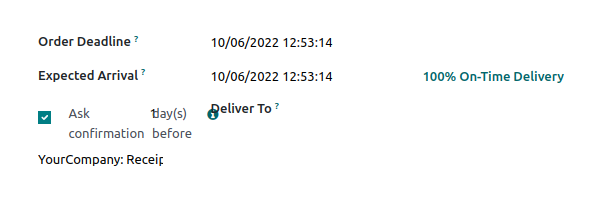
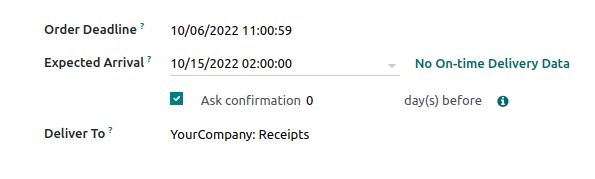
Before this commit, the `stock.replenishment.info` wizard form
had alignment issues, because of `group` tag, the content was aligned
to the left.
closesodoo/odoo#102505
X-original-commit: 7391961c552214e95e3613be9ab07b61ff86feac
Signed-off-by: Arnold Moyaux (arm) <arm@odoo.com>
Signed-off-by: Ahmed Khalaf <ahkh@odoo.com>
The bundle name is irrelevant in the bundle content and will prevent
attachment to store the same file if the bundles are exactly the same.
closesodoo/odoo#102502
X-original-commit: b1d57adf6ff358aa79f41817f4f7bfe60f9e5ac0
Signed-off-by: Xavier Dollé (xdo) <xdo@odoo.com>
During the tests, many attachment can be created and unlink.
They will be eventually cleaned up if the cron is ran but this is
usually not the case during tests. The disk usage can increase to reach
more than one 1 Go when design theme is installed.

This can lead to unnecessary big database dumps.
This is also a problem on odoosh where the filestore max size is limited
to 1Go.

The gc should be quite fast if nothing was changed since it will just
check the content of an empty directory.

The method is made accessible in the test case in order to be able to gc
on demand. This may be useful in the test_01_crawl_every_themes that
can generate around 600~ Mo of attachment in the loop.

X-original-commit: 187309f5a39f8fef9b07959fd73475fd6732efb3
Part-of: odoo/odoo#102502
Only on devices not handling touch.
Before this commit, the phone, email, and selection fields always displayed
their field as in edit mode, even if not hovered.
eg. The envelope button of the email field, the SMS and call button of the phone field
and the caret of the selection field where always visible.
Since the form is always in edition, it doesn't make sense to always display those elements.
This commit makes those element display only on hover and on focus.
closesodoo/odoo#102489
X-original-commit: f87aa36f42fc190285241aeb8e1a4d9ab1644989
Signed-off-by: Lucas Perais (lpe) <lpe@odoo.com>
The main goal of this commit, is to add missing `colspan="2"`.
We also hide the div and its label at the same time.
Steps to reproduce:
* Open Project
* Select a project
* Select a task
* Click on Recurrent checkbox (if not checked)
* Select the Recurrent Notebook => BUG
closesodoo/odoo#102444
X-original-commit: 398d5bc03adf040968494b526ba1f34b8e2cc227
Signed-off-by: Adrien Dieudonné (adr) <adr@odoo.com>
Signed-off-by: Romeo Fragomeli (rfr) <rfr@odoo.com>
If source is something like
"admin@éxample.com" <admin@éxample.com>
candidates founds are
['"admin@\xc3\xa9xample.com"', 'admin@\xc3\xa9xample.com']
and the first one raises an error because of "".
Malformed addresses should be ignored.
opw-2982426
closesodoo/odoo#102353
X-original-commit: 35ad2dd630a8ed173c6a9275585eac46b9a19363
Signed-off-by: Raphael Collet <rco@odoo.com>
Signed-off-by: Julien Castiaux <juc@odoo.com>
This is a followup to: https://github.com/odoo/odoo/pull/102268
When navigating around the view with keyboard arrows:
**Before this commit:**
- there is blue outline on focused cell
- focused row is not highlighted
- https://youtu.be/kD72hic7dME
**After this commit:**
- row is highlighted when hovering or focusing
- no more blue outline on focused cell
- https://youtu.be/qqSqOVaqbEAclosesodoo/odoo#102512
X-original-commit: ded2cf44a7b6d6b79dbe8317be2018da922e0cfd
Signed-off-by: Géry Debongnie <ged@odoo.com>
Signed-off-by: Joseph Caburnay (jcb) <jcb@odoo.com>
In [1], the resizing and the drag and drop of a grid item both put
it in front of all the other items and in front of the background grid
(thanks to the `z-index` property).
This commit changes that behavior: now, the grid item stays at the same
z-index if we are resizing it or if we are dragging it over the grid
from which it is coming. In the case of a drag over an other grid, it
is placed in front of all its grid items. In all these cases, the grid
item is placed behind the background grid.
[1]: https://github.com/odoo/odoo/pull/93144
task-2973198
closesodoo/odoo#102525
X-original-commit: 67d1b078329600efce414974307d74e9fa9ba9fe
Related: odoo/design-themes#601
Signed-off-by: Quentin Smetz (qsm) <qsm@odoo.com>
In grid mode, when a grid item width is one (grid) column, if its
content is bigger than a column size, it makes the column
grow with it while the other ones are shrinking.

This issue was solved in [1] by using the `word-break` property but it
is not the best solution. This commit fixes the issue by setting the
`min-width` property to 0 instead.

[1]: https://github.com/odoo/odoo/pull/93144

task-2973198

X-original-commit: 5d37ada861bf5de348de54d5d7de0d06e14ed28e
Part-of: odoo/odoo#102525
When the footer has the "Slide Hover" and the "Shadow" scroll effects,
and if it is in grid mode, the grid dropzone flickers a lot when we
drag a column over it. This happens because the scrolls caused by the
dragging, the growth of the grid and the scroll effect all happens at
the same time.

This commit removes temporarily the scroll effect of the footer during
the drag and drop to avoid this situation. It also has the advantage of
displaying the footer entirely, making it easier to see where we are
placing the elements.

task-2973198

X-original-commit: bbde919634aeaffcf421283445e25181a522f287
Part-of: odoo/odoo#102525
When going from a dropzone to an other, and if it is done really fast
or if the dropzones are really close (glued to each other) or if they
are overlapping, the order of the "over" and "out" dropzone events is
not the one expected.
Indeed, instead of having over > out > over, we have over > over > out.
This resulted in a traceback when using the grid as the listeners and
properties were therefore not removed correctly when such a case
happened.

This commit adds the support for this situation by first detecting if
two "over" are following each other and then making a virtual "out" if
this is the case.

task-2973198

X-original-commit: c6886410603a16b6a3c5fe459d273dd883c110c7
Part-of: odoo/odoo#102525
When removing all the columns of a block with no parent, like the
footer, a traceback was appearing because updateUIVisibility was trying
to access the properties of an inexisting parent. This commit
fixes that by first checking if the parent exists.

task-2973198

X-original-commit: 3e7ad08581295af6a986ba2b81ec25d9cd78e91d
Part-of: odoo/odoo#102525
This commit modifies the Masonry snippet, along with all its templates,
in order to always be in grid mode.

A change worth noting is that the images are now real images and not a
background and text can be added over them with the "Add Elements"
option. This change happened mainly for the look of the mobile view but
also because it is more logical since the snippet is supposed to
contain "images" and "text".

The themes extending Masonry have also been adapted in [1].

[1]: https://github.com/odoo/design-themes/pull/592

task-2973198

X-original-commit: 85b352af319edec84407f2046cf795b4e5503460
Part-of: odoo/odoo#102525
When dragging a grid item downwards in a grid, an infinite number of
rows can be added. This is unconvenient because it is difficult to
escape a grid if the snippet is "container-fluid" for example.

This commit limits the number of rows that can be added at once when
dragging downwards. The limit is fixed to 10 rows. Of course, it is not
a total limit, this means that after dropping, if the grid item is
dragged again, 10 additional rows can be added.

task-2973198

X-original-commit: 888f522aa812136f10af1c5fad8f17eea0c3b5b6
Part-of: odoo/odoo#102525
When dragging a grid item and dropping it outside (near) a dropzone,
and then undoing the operation, the grid item didn't return to its
original state: some removed classes and style properties were not
added back. This would cause the item to be broken and trying to drag
it had unexpected results that could even lead to a traceback.

This behavior was caused by the fact that the grid item was not
attached to any element when these attributes were modified, so the
changes happened "nowhere". This commit fixes that.

task-2973198

X-original-commit: 83c07fcce898225f06f1ba84059a031409db0627
Part-of: odoo/odoo#102525
Currently, the toggle to grid mode is not the same process for all
snippets: some have both the option 'Layout Grid/Cols' and the ability
to toggle on drag but other don't have the option, making it
complicated/impossible to leave the grid mode. Also, the snippets for
which the grid mode has been blocked don't have their move handle
anymore, which prevents them to use the normal drag and drop (it was
hidden because dragging them would toggle the grid mode).

This commit uniformizes the grid mode for all snippets and adds the
move handle back to the ones that cannot use this mode. It also
improves the grid mode of the 'Items' and 'Carousel' snippets.
More precisely:

- All the snippets that are allowed to have the grid mode now have both
the option "Layout Grid/Cols" and the ability to toggle on drag.

- The snippets who cannot toggle the grid mode have the move handle
back but it doesn't toggle on drag and they don't have the option. They
use the "normal" drag and drop.

- The drag and drop has been improved to allow normal columns to go
inside the grids. Indeed, since the drag was previously blocked, this
case could not occur but now that it is possible, it had to be taken
into account.

- The grid mode of the Items snippet has been improved by removing the
"hardcoded" height that was breaking the grid.

- The vertical dropzones of Carousel appearing when dragging inner
content have been removed because they appeared in grid mode and were
breaking it. It is also more logical because now that this snippet has
a column option, vertical dropzones should only appear when dragging a
column.

task-2973198

X-original-commit: 84d684d8bdf43d3db11defd8174dee44775085c2
Part-of: odoo/odoo#102525
The 'Picture', 'References' and 'Pricelist' snippets have some of their
content placed outside the row element, causing them to not be in the
grid when activating the grid mode, which is unconvenient.

This commit allows these contents to be placed in the grid when the
grid mode is toggled, by creating a column and putting them in it.

task-2973198

X-original-commit: 6f3041f9015c50b4986b3c26aad86da4a0a04d50
Part-of: odoo/odoo#102525
*: website

In grid mode, the images take the whole space in their column so they
always have the same size as them. However, if text was added in the
column (before or after toggle), it always looked like it was
overflowing and the overlay would not cover it even after resizing.

Also, since these images have the value of the `object-fit` property
set to `cover`, the images are cut if they are too big for the column.
This is problematic if the image has a shape because the shape is cut
too, ruining the visual effect.

This commit solves these issues by distinguishing the images that are
alone in their column from those that are not. An image is considered
alone if it is a direct child of the column and if there is no text in
it (the line breaks and empty lines are excluded). Now, only this kind
of images, if they have no shape, take the whole space in the column
and have `object-fit` set to `cover`; the other ones behave like the
columns in normal mode.

This distinction also allows to block the edition of the columns
containing only an image. Indeed, adding text or dropping inner content
in them had the same overflowing effect.

task-2973198

X-original-commit: e9c7e020daf88022d6e02de0a5620074e8417b5a
Part-of: odoo/odoo#102525
The grid mode allows some snippets to move and resize their columns in
a grid. However, some of them were blocked because they don't look good
in this mode. This is the case of the Big Boxes snippet: because it
contains two blocks full of padding and since toggling the grid mode
removes this padding, it ended looking weird.

This commit allows the previously blocked Big Boxes snippet to toggle
the grid mode. More generally, this commit allows snippets having only
columns containing a background color to look good in grid mode by
keeping a more logical padding for them.

task-2973198

X-original-commit: a051922f8359178f4abe578ce9555d34cbb02613
Part-of: odoo/odoo#102525
The merge of [1] happened before its code was totally cleaned. This
commit makes up for that: the variables have been correctly renamed,
the comments have been cut at 80 characters and useless blank lines
have been removed.

[1]: https://github.com/odoo/odoo/pull/93144

task-2973198

X-original-commit: 98741204c7b15cadeb22d6b536b0027327ba69fe
Part-of: odoo/odoo#102525
*: website_blog, website_event, website_forum, website_livechat,
website_sale, website_slides
This commit adapts the code of website, and modules depending on it, which
overrided the save method of the FormView controller to execute a doAction.
It was no longer possible to wait for the default save action to proceed,
because the default behavior is now to close the dialog, and here we need
to pass another parameter allowing to redirect the website to a newly
created record.
Now, a method is available directly from the NewContentModal, which reduces
the need for the service in form views. The save call pass the right method
to compute the path needed for the redirection once the record has been
created.
closesodoo/odoo#102522
X-original-commit: 916a5bebb3e74047a66503ddc59299540c252831
Related: odoo/enterprise#32448
Signed-off-by: Aaron Bohy (aab) <aab@odoo.com>
This commit fixes the behavior of the FormView in a dialog. Since the
view is only visible in edition, it is no longer necessary to keep the
dialog open after the save has been processed. If the save has been
successful, the dialog now closes as expected.

A test has been added to assert this behavior.

X-original-commit: 86f68fe072a50baf49b9a8cf06f9c1e2541756e3
Part-of: odoo/odoo#102522
The commit https://github.com/odoo/odoo/commit/c877cab866f2c1968f4f9aaf8ceebc02fa014eed
has recently refactored the css of the kanban column progress bar making
the rules for o_legacy_kanban_counter be applied only in legacy kanban
views. This lead the style of the progress bars in activity view to be
broken. Here we fix that style by copying the rules we want in the
file activity_view.scss.
closesodoo/odoo#102520
X-original-commit: 84788c27a6c22a55bb0d7e375ae60b78beeea050
Signed-off-by: Julien Mougenot (jum) <jum@odoo.com>
Signed-off-by: Mathieu Duckerts-Antoine <dam@odoo.com>
In this commit we the fix the payment methods form view
because it was broken after changing the implementation
of the <group> element to the new `grid`format.
closesodoo/odoo#102519
X-original-commit: 3450e48198c6dd1c26379ffd09aeaaaefa1fdc13
Signed-off-by: Trinh Jacky (trj) <trj@odoo.com>
Before this PR, the presence service was relying on window events
blur/focus to determine whether or not odoo was focused. The issue is
that in the website backend, an iframe is used. When this iframe is focused,
the window looses the focus and vice versa.
This commit fixes this issue by using `window.parent.hasFocus` method.
task-3003950
closesodoo/odoo#102518
X-original-commit: ce57d4494f2bc6a1504f8a7bddddca2a3d2b794b
Signed-off-by: Alexandre Kühn (aku) <aku@odoo.com>
Before this commit, in debug=assets, if a test crashed for
instance because we try to click on an element that doesn't
exist, we tried to load the stacktrace js lib, via loadJS.
However, in the test environment, loadJS is patched to go
through mockRPC. If in that particular test, mockRPC did
an assertion (e.g. assert.step), we entered an infinite loop
of loadJS calls, which obviously made the tab crash.
With this commit, we ensure to use the real loadJS function
when we want to fetch the stacktrace lib.
closesodoo/odoo#102295
X-original-commit: 0661c8fa1dad88b1f9c9e177e25ddb97211f55a2
Signed-off-by: Samuel Degueldre <sad@odoo.com>
Signed-off-by: Aaron Bohy (aab) <aab@odoo.com>
Causes inconcistencies in the case of a o_form_nosheet (form view
without a <sheet> tag) and are visually not obvious enough to warrant
inspecting this very deeply. Remove them entirely.
closesodoo/odoo#102511
X-original-commit: 018a7a0706928930486e324dbac32c2497ec52ba
Signed-off-by: Bouvy Damien (dbo) <dbo@odoo.com>
This reverts commit 8d7bcc8eee7a333e8e463469177a1a86f9928254.

The fix also impact a lot of form views without a <sheet> node
(o_form_nosheet), e.g. Settings, Knowledge articles, Mass Mailing, Bank
Reconciliation, widget, etc.

Not the correct solution.

X-original-commit: 00e71f3ebad40d32f74f945475fb474e89b6cf4a
Part-of: odoo/odoo#102511
The bubble is showed whenever a filter is activated and/or a price range
is selected in the filters.
However due to float precision the comparison made to check whether
there is a price filter could be wrong when using "weird" numbers.
TaskId-3009210
closesodoo/odoo#102507
X-original-commit: 9359a5b5f0f72550d69671f975da23d4734b490f
Signed-off-by: William Braeckman (wbr) <wbr@odoo.com>
This commit makes it possible again to change pricelist while on mobile
view.

TaskId-3009210

X-original-commit: d3f6dc8d269f82860d8e93482e03462ef66fa37f
Part-of: odoo/odoo#102507
In the new aside to control filters and attributes (mobile mainly)
clicking on the radio input directly would not refresh the page
accordingly.

TaskId-3009210

X-original-commit: 989c827be5de366e37d92d6a35bcd0e0995db78d
Part-of: odoo/odoo#102507
Fixes an alignment issue between the grid and list icon on the /shop
page.

TaskId-3009210

X-original-commit: 2ea3a5609d5d955ad75baa4bf5c31f8aefb55554
Part-of: odoo/odoo#102507
This time, for good
closesodoo/odoo#102506
X-original-commit: 464883bccab539b747e938aef7851c6917fee57c
Signed-off-by: Victor Feyens (vfe) <vfe@odoo.com>
Even if the `StateSelectionField` is readonly we doesn't want visual
difference and we remove the `disabled` class.
This behavior is the same as in 15.
We also remove `btn-link` as it's not appear as a link and we had to set
`p-0` to avoid the growing of the cell.
Steps to reproduce:
> Open the helpdesk app
> Click on VIP Support tickets
> Go to the list view
> Add kanban_state column => visual bug
closesodoo/odoo#102504
X-original-commit: 26d6942ed1b0c328d94e7dfd5e50c18a68c8c2f3
Signed-off-by: Pierre Paridans (app) <app@odoo.com>
Signed-off-by: Romain Estievenart (res) <res@odoo.com>
Before this commit, only when using the save button on the profile, the
context is reloaded with the new language. If we use the breadcrumb to
exit the profile view, the new language is saved, but the context is not
reloaded.
closesodoo/odoo#102493
X-original-commit: 41b2ca93f1fc6402ff5d88b7dd8af175dd49ac6d
Related: odoo/enterprise#32432
Signed-off-by: Aaron Bohy (aab) <aab@odoo.com>
When the section and note fields were converted, the section and note
text field ignored the list-specialisation of the text field, resulting
in a textarea with a minimum height of 50 in list view which causes the
line to be too high. It was also not using the o_field_text class which
among other things hides the resize handle on the text area which looks
weird in list view. This commit fixes that.
closesodoo/odoo#102465
X-original-commit: 5735f89245f8efa980069973b3dbe94beac59061
Signed-off-by: Aaron Bohy (aab) <aab@odoo.com>
The status indicator for optional plans switches between grey and green and creates a perception that action is required, when in fact, all values are valid.
For this reason, the status indicator only applies to mandatory plans (green: ok, orange: editing, red: invalid)
The grey status is removed entirely.
closesodoo/odoo#102503
X-original-commit: e2cd7f93d49cbdd60d6f84b465b042fae9389bb1
Signed-off-by: William André (wan) <wan@odoo.com>
Signed-off-by: Ayob Habib (ayh) <ayh@odoo.com>
Before this commit, when reconnecting to a call that was still holding
a participantCard of an outdated rtcSession a crash would occur as
joining a call removes all your previous rtcSessions while generating
a new one while having a `isCausal` on their participantCards.
This commit removes this `isCausal` as the rtcSession of a
channelMember/participantCard should be able to change over time.
closesodoo/odoo#102498
X-original-commit: c903852de3e6d4b99600797c7b426e2e3dfa4bea
Signed-off-by: Sébastien Theys (seb) <seb@odoo.com>
Problem:
In the point of sale, when a sale report is printed, the payment methods were written as [object object] because of the new translation behavior.
The sql function and the rendering is now written differently in order to see the labels of the payment methods
closesodoo/odoo#102497
X-original-commit: d17003541ec6a1ff23a4d21488352f360aee822d
Signed-off-by: Masereel Pierre <pim@odoo.com>
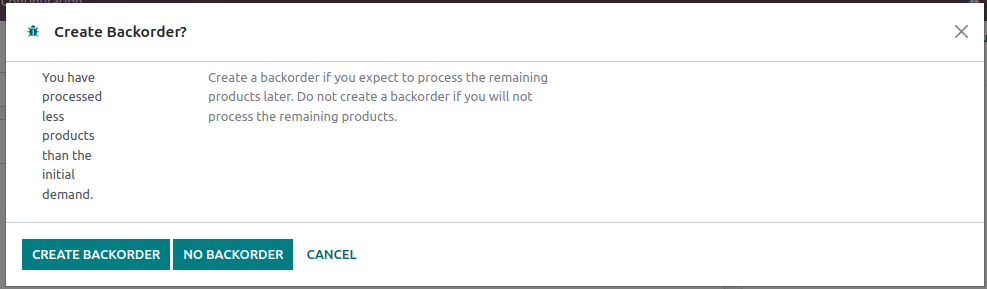
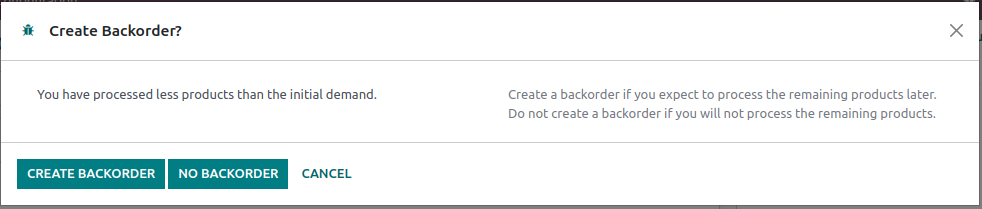
Adapts the layout of the backorder wizard to the new grid css for
groups.

Part of task-2985735

X-original-commit: b3f151b3a64312939e5f10c209f54a38b621c8a8
Part-of: odoo/odoo#102495
Avoids breaking the layout by hiding the label instead of fully removing
it from the DOM

Part of task-2985735

X-original-commit: 36eab7d034b52657bae988e5c35b0c429df2c05b
Part-of: odoo/odoo#102495
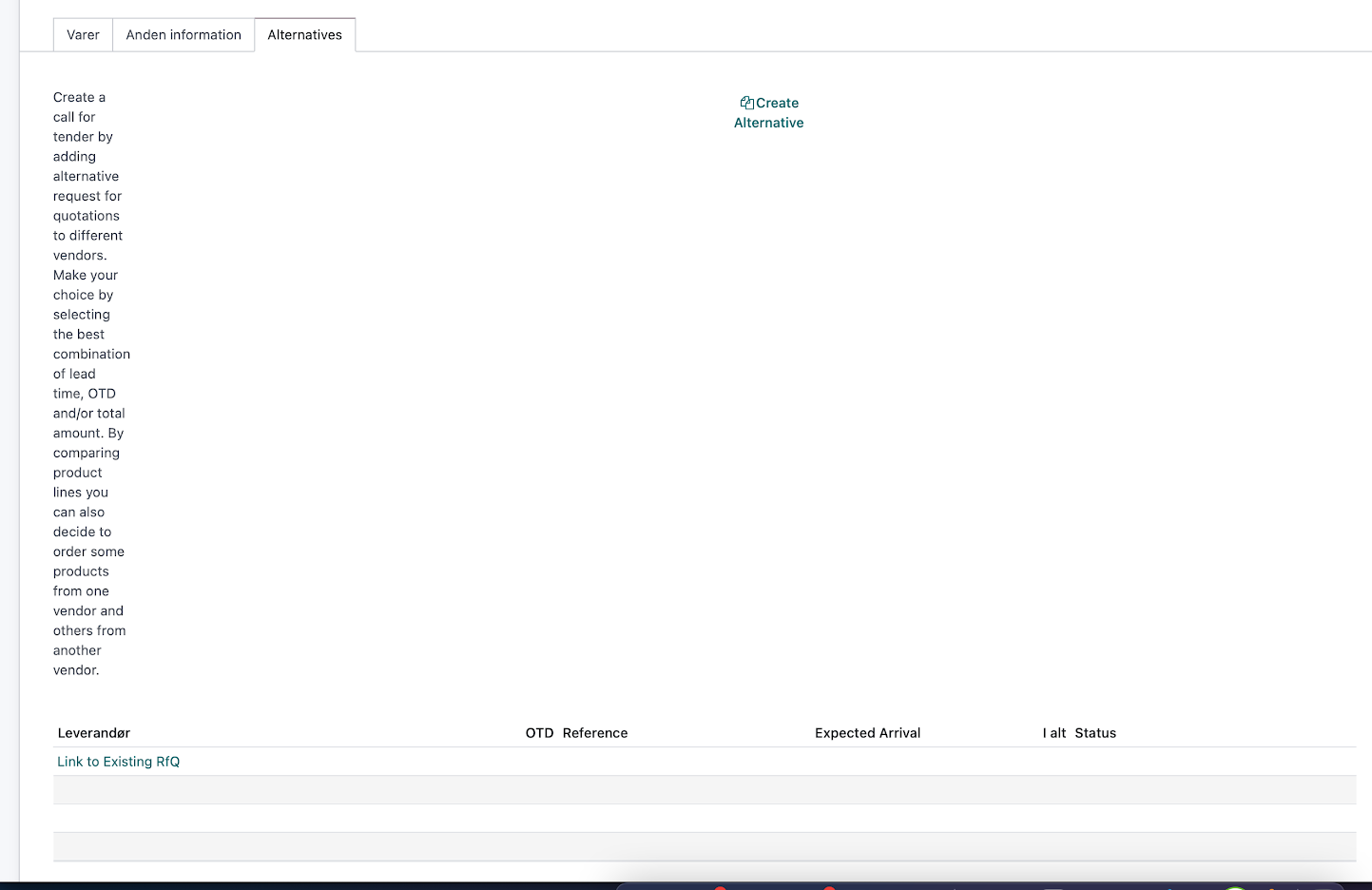
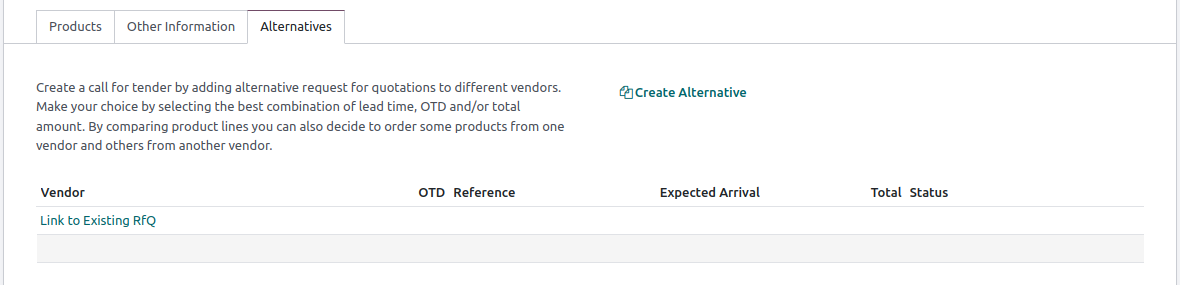
Adapt to the new css grid for groups. Without this, the values in the
`<p>` are squished into a small fraction of their columns.

Part of task-2985735

X-original-commit: 8544fd84916153ffe903a639f3b88b2e83554337
Part-of: odoo/odoo#102495
Going to My profile (user menu item when hr installed), the user name
is not fully displayed in the breadcrumb although there is enough space
to display it. We fix that by removing a rule that has become apparently
useless.
closesodoo/odoo#102492
X-original-commit: 09b5b83b41cd450359993eaca510d2e5b5a429ea
Signed-off-by: Aaron Bohy (aab) <aab@odoo.com>
 Ahmed Khalaf (ahkh)