 Odoo's MergebotandVictor Feyens vfe@odoo.com
210c9daebc
Odoo's MergebotandVictor Feyens vfe@odoo.com
210c9daebc
Purpose ======= This is the first step of a technical cleaning of the sales application. The final goal is to reduce the technical debt and improve the performances / readability of the related applications. Some complex onchange methods containing purely business code are defined, and called manually wherever the modifications should be applied. This is a bad practice as there could be a different business logic when making the same flow in the interface or with python code. Since #80449, it is now possible to add the precompute attribute on stored computed fields to compute them before the insertion into the database. The idea is to convert this business code into compute methods to apply it every time this is needed. This is quite useful in our case in the sales application, as some of the computed fields are required, and request some hacky overrides: - in the create method, to simulate the onchange on new records, and to update the values dictionary - in the default_get method, to set a default value, which has to side effect to prevent the field to be recomputed afterwards, which could also lead to inconsistencies. This made impossible to convert the onchange methods into compute methods. Now, that is possible to precompute the fields before the database insertion, it is now possible to remove all this crappy overhead, to benefit from the batch method definitions, and to avoid creating fake records to simulate the values that we should have computed before. On the other hand, this is the occasion to write some methods (create, ...) in batch, to remove some dead code, to simplify the api, to reorganize the code using our coding guidelines. Results ====== The benefit of calling the computes in batch doesn't only bring functional consistencies, it also allow to improve the performances without changing any existing features. For example, let's have a look at the execution time and queries to generate 1000 sales orders with 10 products lines each + 1 section line, for 1000 different customers and shared between 2 salesmen. We consider the "batch" time, aka the time to call the "create" method, the flush time and the number of SQL queries. In master: BATCH: 121.97 seconds FLUSH: 24.05 seconds # queries: 53103 Now: BATCH: 113.07 seconds FLUSH: 1.22 seconds # queries 22057 This means a reduction of: - 7.2% for the batch time - 95% of the flush time - 21.7% for the total time - 58.5% for the number of SQL queries Note that the effect of the precompute, the onchange methods conversions, and the optimizations on this PR are emphasized when the sales orders are related to the same partners. If we take a look at the flamegraphs when creating 100 sales orders of 3 lines each, we directly spot that the methods are now called once, which also justify the large decrease of execution time and SQL queries. Master: 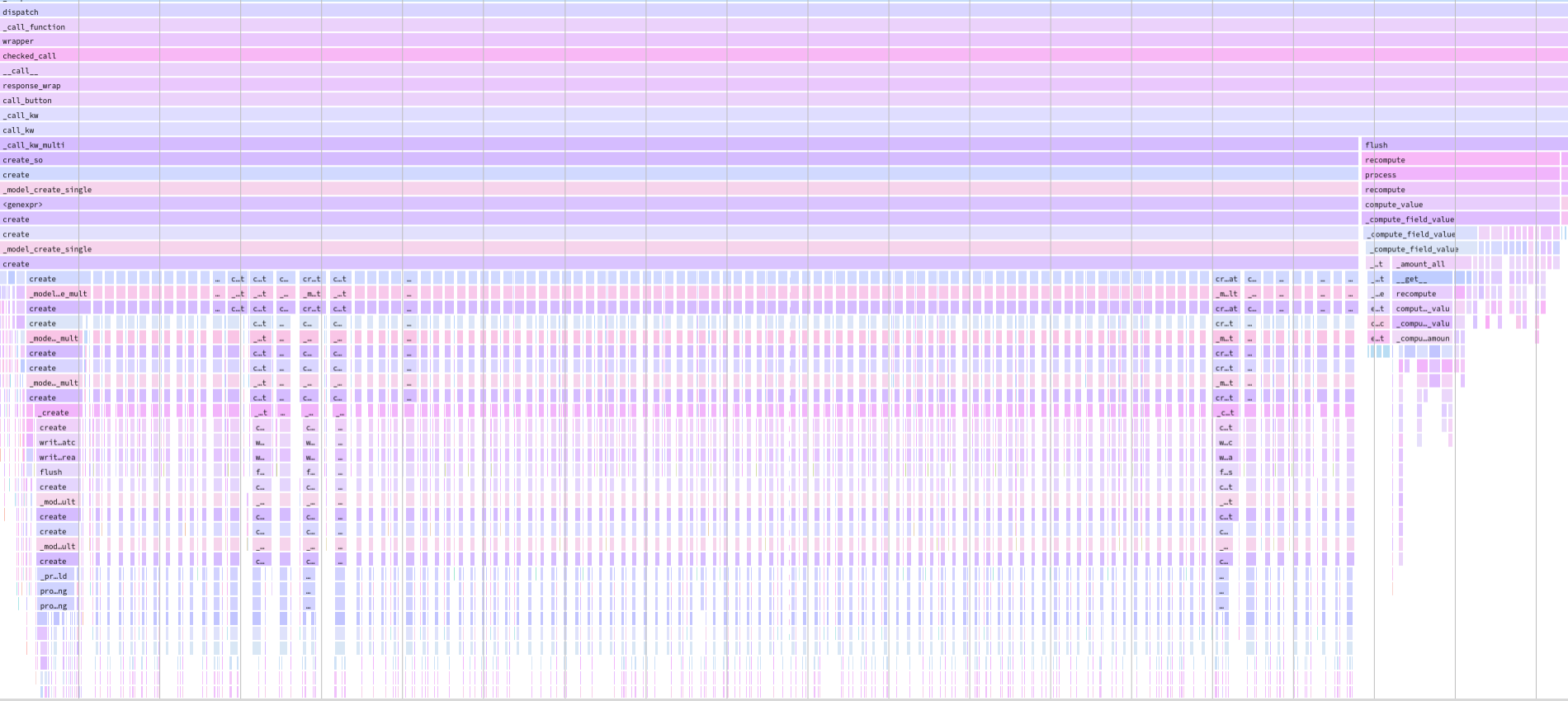 Now: 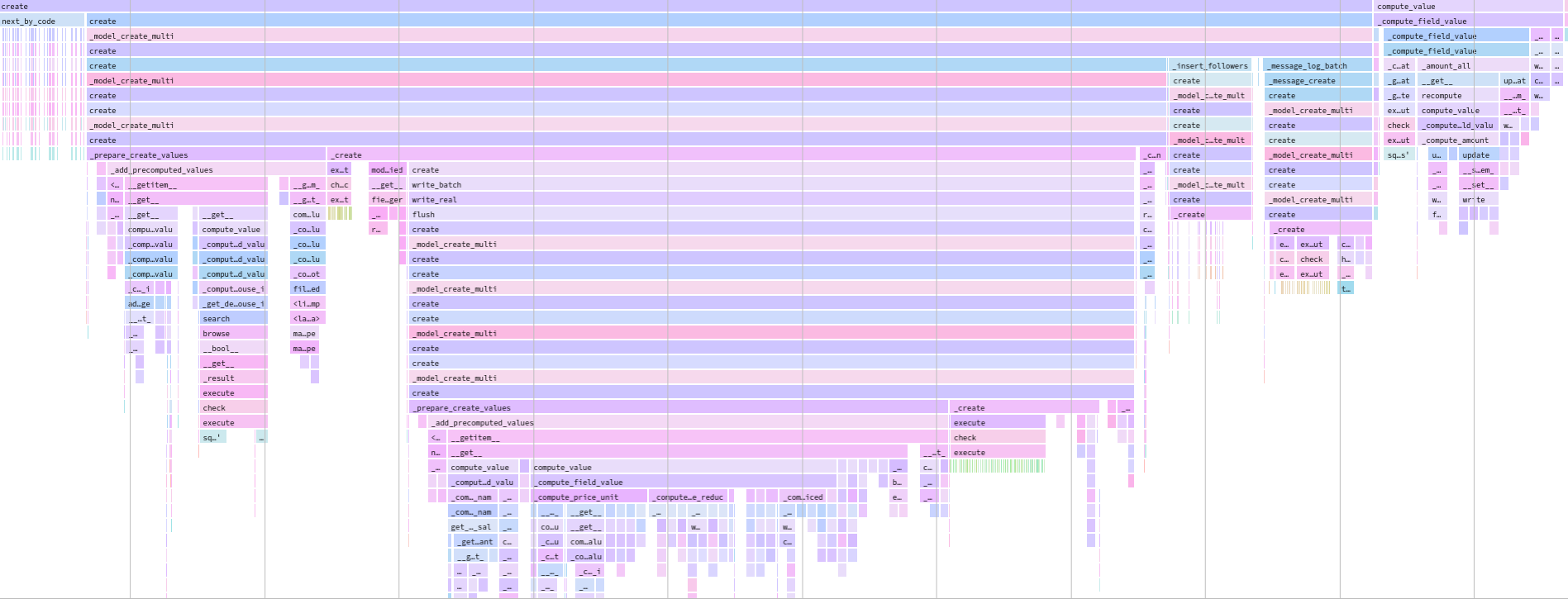 closes odoo/odoo#79093 Taskid: 2679099 Signed-off-by: Yannick Tivisse (yti) <yti@odoo.com> Co-authored-by: Victor Feyens vfe@odoo.com




Odoo
Odoo is a suite of web based open source business apps.
The main Odoo Apps include an Open Source CRM, Website Builder, eCommerce, Warehouse Management, Project Management, Billing & Accounting, Point of Sale, Human Resources, Marketing, Manufacturing, ...
Odoo Apps can be used as stand-alone applications, but they also integrate seamlessly so you get a full-featured Open Source ERP when you install several Apps.
Getting started with Odoo
For a standard installation please follow the Setup instructions from the documentation.
To learn the software, we recommend the Odoo eLearning, or Scale-up, the business game. Developers can start with the developer tutorials